Case collaboration
Crypto investigations, worked together, live.
Most investigation software was designed for one analyst at one desk, then had “sharing” added later. Cases are not worked that way. Glacier21 puts your whole team on the same trace board, with each other's cursors, edits and comments in view, the way designers share one file.
Deposit address is at a regulated exchange. Drafting the preservation request. @Alex
- Waiting for the team…
The real thing
Not a mock-up. A recording.
Anyone can draw a diagram of collaboration. This is two accounts on the same case in Glacier21: one opens the inspector on the seed wallet while the other's cursor works along the money trail, labeled with their name.
There is no refresh and no “someone else is editing” lock. If they move a wallet card, you see it move.
What you see together
Everything a shared case needs, nothing it does not.
Collaboration features are only useful if people actually use them. Each of these fixes a specific way shared cases go wrong.
See where everyone is pointing
Know who is on the case right now
Follow a teammate's view
Present without screen sharing
Comments with @mentions
Your names for wallets, kept in the case
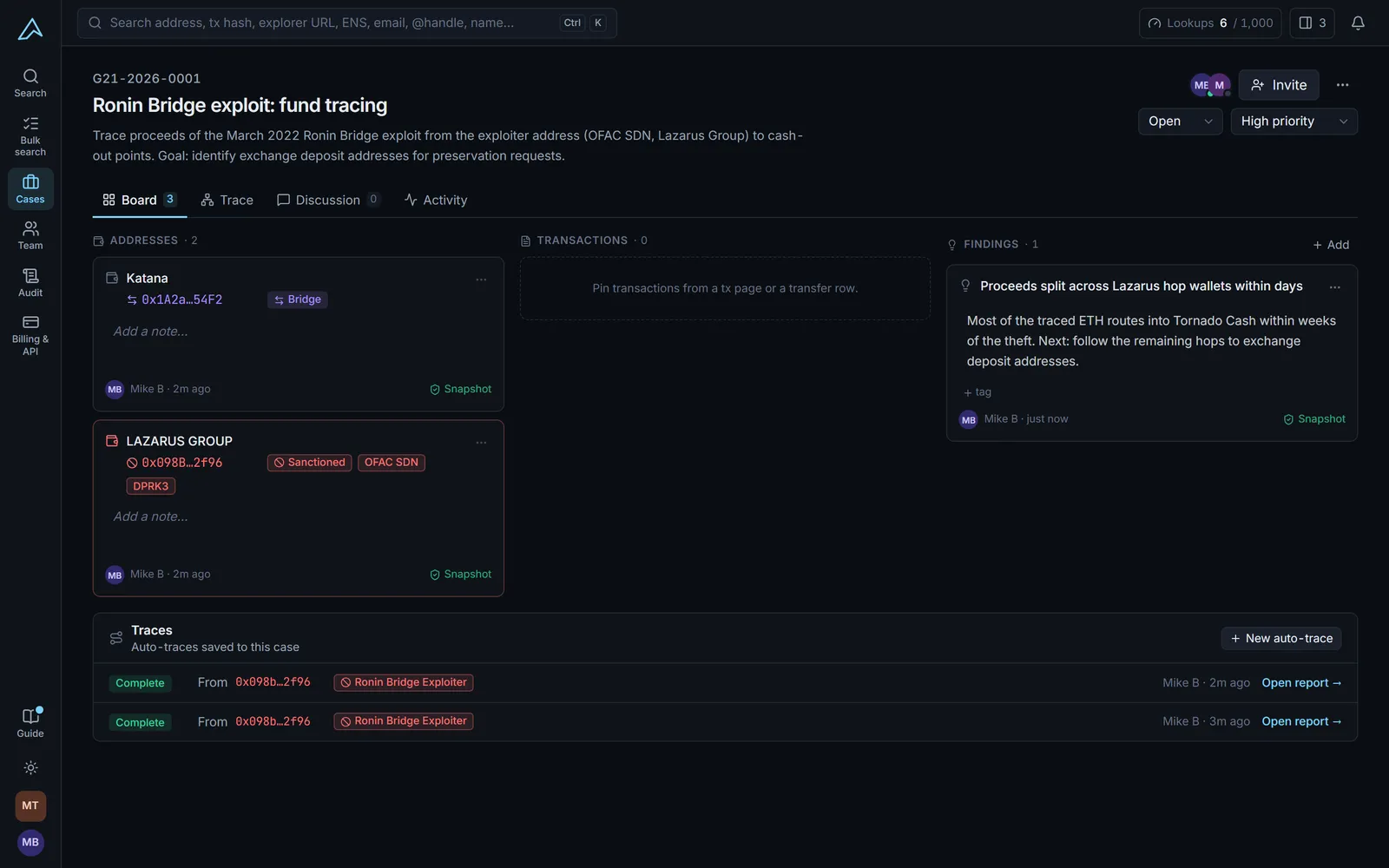
The case board
One place for what you know, and how you know it.
The board collects the case: pinned addresses and transactions, written findings, and every auto-trace run on the case. Each pin is a SHA-256 snapshot of what was on screen, with who pinned it and when, so the record survives even after the data changes.
- Addresses, transactions and findings in columns
- Saved auto-traces with one-click reports
- Status, priority and an activity feed per case
The trace board
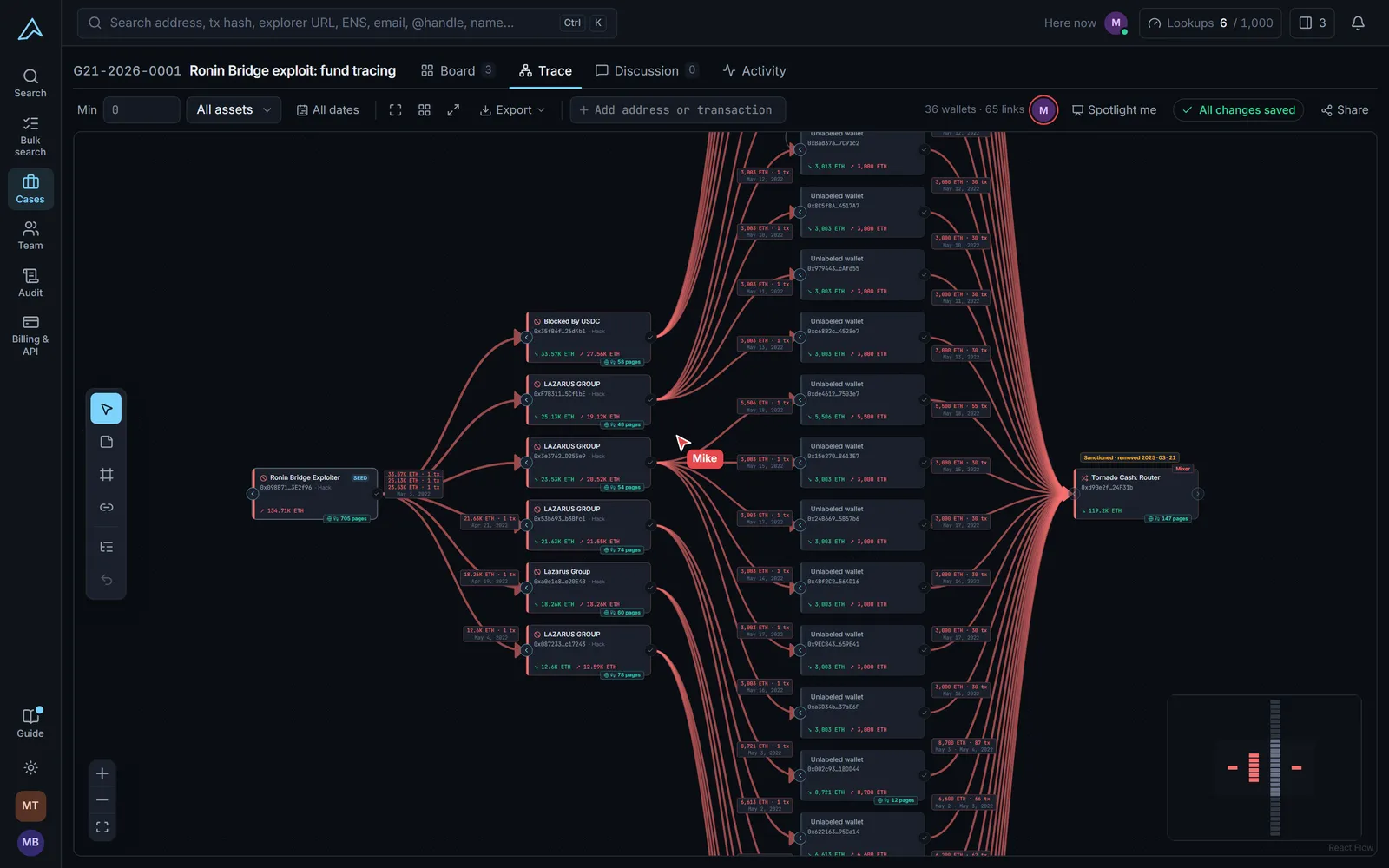
The graph is the meeting.
Add a wallet from the profile, the auto-trace report or the board, and it appears on the shared trace for everyone. Teammates appear in “Here now” at the top of the board, and their cursors show up as they work.
- Live cursors with names
- Follow a teammate or spotlight yourself
- Export to PNG or SVG
People outside your team
The prosecutor should not need a purchase order to read your evidence.
The people who most need to see a case are often the ones least able to buy software. So reading a case is free.
Viewers, free and unlimited
Case guests for outside counsel
Read-only share links
Optional by design
Collaboration you can ignore.
Some of the best investigators work alone, and some matters cannot be shared. Every collaborative feature is opt-in.
- Work in a private scratchpad without opening a case
- Restrict a case so only its members can open it
- Give each person a case role: lead, contributor or viewer
- Keep nicknames and notes out of shared links
- Revoke a share link at any time
FAQ
Questions about working cases together.
Can several investigators work on the same crypto trace at once?
Yes. Everyone on a case shares one trace board. You see each other's cursors, selections and edits in real time, and the board saves as you go.
Do I have to use cases or collaboration?
No. Cases are optional. A solo investigator can search, trace and pin to a private scratchpad without ever opening a case or inviting anyone.
Do prosecutors or clients need a paid seat to see a case?
No. Viewers are free and unlimited, and case guests (who can comment, or read only) do not take a seat. They see only the cases you invite them to.
Can I keep a sensitive case away from the rest of my organization?
Yes. Restrict a case to its members and only the people you add can open it, even if they are investigators in the same organization.
Can I share a trace with someone outside Glacier21?
Yes. Create a share link from the trace. It opens a read-only, watermarked view, leaves your nicknames and notes out unless you include them, and can be revoked at once. You can also export the board as PNG or SVG.
How do I prove who changed what?
Every case has an activity feed, and organization activity is written to a tamper-evident, hash-chained audit log that admins can verify with one click. Pins are saved as SHA-256 snapshots with who pinned them and when.
See it with your own team.
We will show you two investigators tracing the same wallet together, live, so you can judge whether it changes how your team works.
Keep reading